
Download Xpadder – gamepad keyboard emulator, PC gamepad control, keyboard and mouse emulation, gamepad to keyboard mapping, PC gaming utility
Overview
Xpadder is a lightweight and highly capable keyboard emulator designed for PC users who rely on gamepads but need greater control in games that lack native support for such input devices. By transforming a standard gamepad into a virtual keyboard and mouse, Xpadder bridges a critical gap in the PC gaming ecosystem, particularly for titles that were originally developed for console platforms or do not natively recognize gamepad inputs. The app enables users to map gamepad buttons and sticks to specific keyboard keys and mouse movements, providing a seamless experience across a wide range of games, including older titles, indie releases, and classic console emulators.
Target users include PC gamers who prefer using gamepads for comfort and precision, retro gaming enthusiasts using emulators, and users who require alternative input methods due to accessibility needs. The app’s utility extends beyond gaming, as it can also be used to control Windows applications with a gamepad, enhancing productivity for certain workflows. Xpadder, Inc. has positioned the tool as a practical solution for users seeking customizable input control without relying on complex software or hardware modifications.
Although the developer did not provide additional technical details about the company’s background or development philosophy, the app’s functionality and consistent updates suggest a dedicated focus on user-driven improvements. The ability to save and load presets makes it easy to switch between different configurations, allowing users to tailor their experience for each game or application. This flexibility contributes to Xpadder’s relevance in the PC gaming utility space, where customization and adaptability are key.
Key Features & Functionality
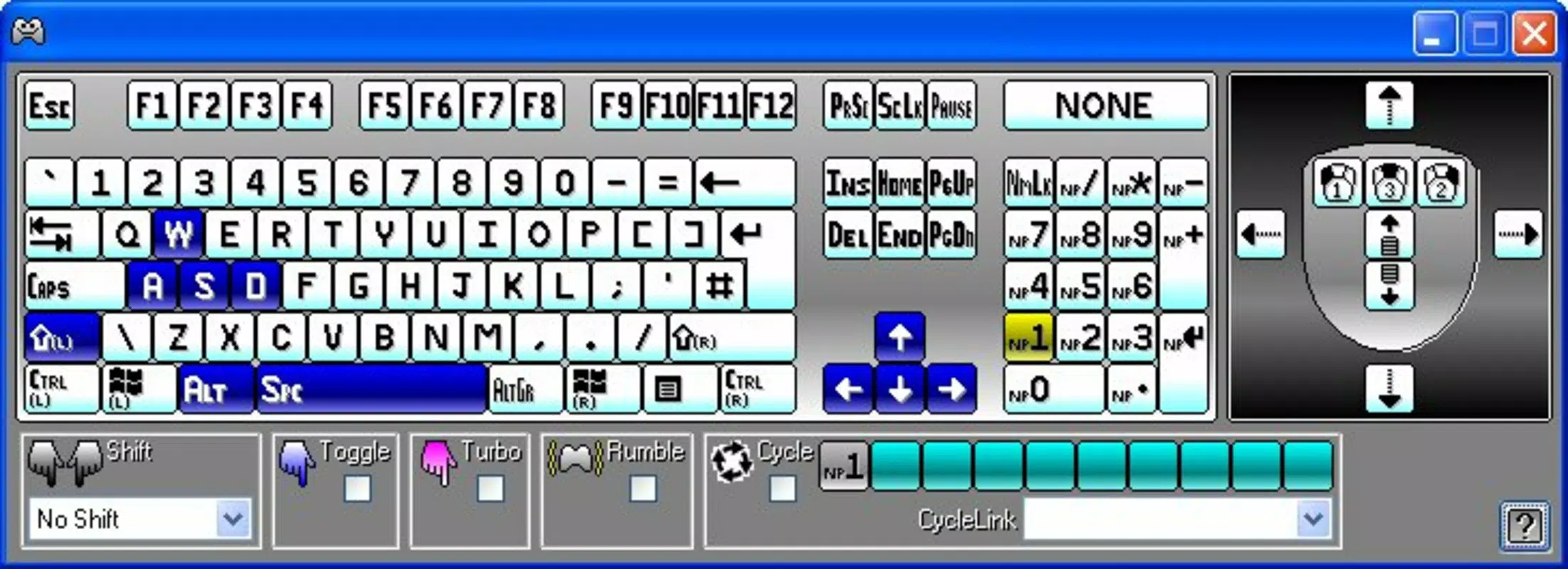
- Gamepad to Keyboard and Mouse Mapping: Allows users to assign any gamepad button or analog stick to specific keyboard keys or mouse movements, enabling full control in games that don’t support gamepads natively.
- Preset Management System: Users can save and recall custom configurations for different games, emulators, or applications, streamlining setup and reducing repetitive configuration tasks.
- Visual Configuration Interface: A simple, intuitive interface guides users through the mapping process, making it accessible even to those with minimal technical experience.
- Real-Time Testing and Adjustment: Users can test their mappings live within the app, allowing for immediate feedback and fine-tuning of controls.
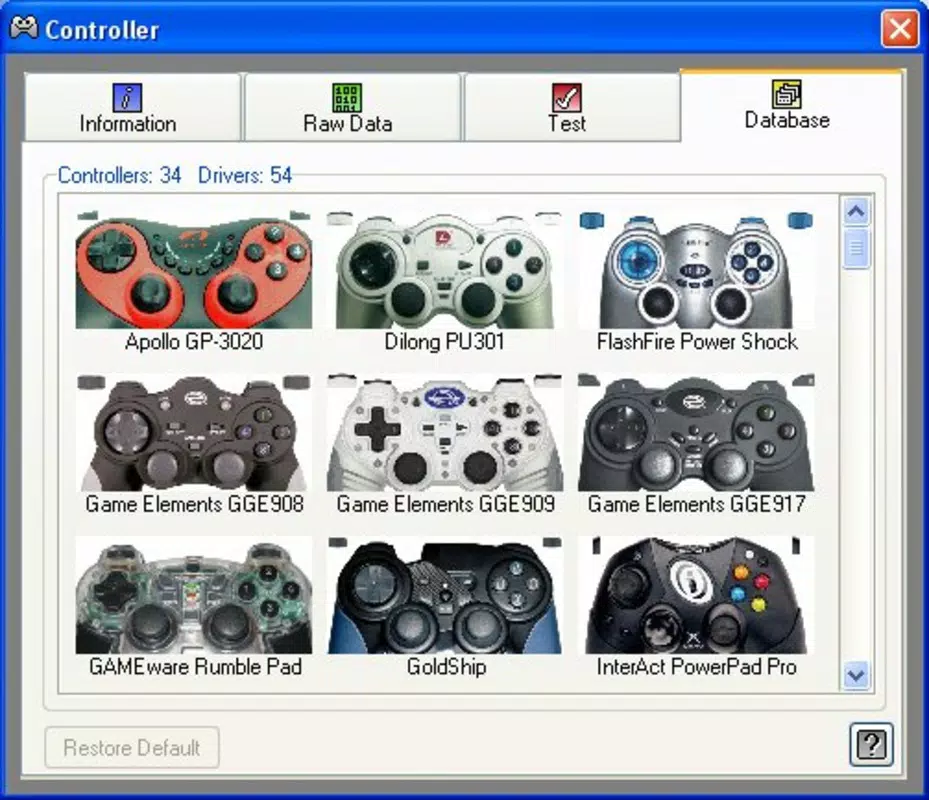
- Compatibility with Multiple Gamepads: Supports a wide range of USB and Bluetooth gamepads, including Xbox, PlayStation, and generic controllers, ensuring broad accessibility.
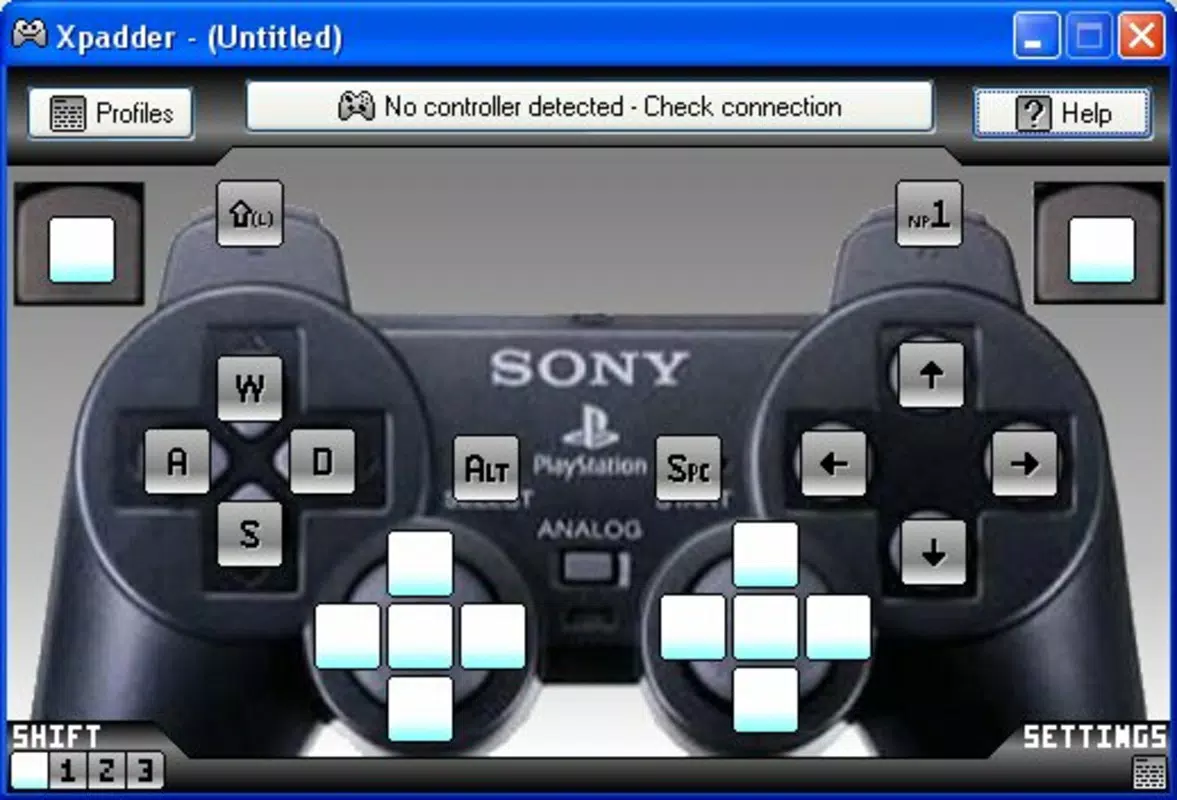
For example, a player using a PlayStation DualShock 4 can map the left stick to mouse movement and the face buttons to keyboard keys like W, A, S, D for movement and spacebar for jumping. This setup is especially useful in games like *The Elder Scrolls V: Skyrim* or *Stardew Valley*, which may not support gamepad input out of the box. Similarly, retro gaming enthusiasts using emulators like RetroArch can create precise mappings for classic console games, preserving the original feel while maintaining modern input flexibility.
The app’s ability to handle complex input combinations and analog sensitivity settings enhances its utility for precision-based games. The visual layout ensures users can see which inputs are assigned to which keys, reducing confusion and enabling quick troubleshooting. This level of control makes Xpadder a powerful tool for users who value both comfort and precision in their gaming setup.
Interface, UX & Performance
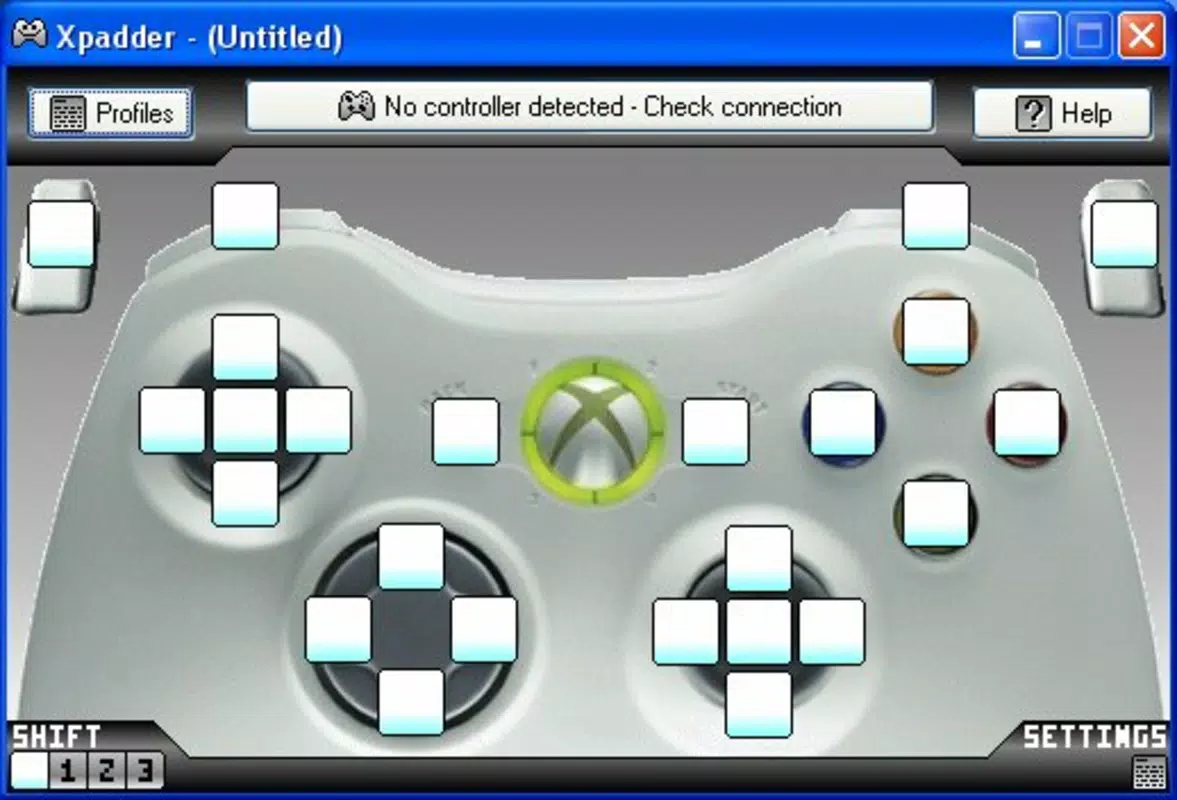
Xpadder features a clean, minimalistic interface that prioritizes usability and accessibility. The main window displays a visual representation of the connected gamepad, with clearly labeled buttons and analog sticks. Users can click on any input element to assign it to a keyboard key or mouse action, with a dropdown menu offering a full list of available options. The layout is logically organized, with sections for mapping, preset management, and real-time testing, ensuring a smooth workflow.
Navigating through the app is straightforward, with intuitive menus and context-sensitive tooltips that guide new users through the setup process. The visual feedback during mapping is immediate, allowing users to test their configurations in real time without leaving the app. This responsive design significantly reduces the learning curve, making it suitable for both beginners and experienced users.
Although the developer did not list formal performance metrics, the app’s lightweight footprint of 11.7 MB suggests efficient resource usage. It runs smoothly on most modern Windows systems, with minimal impact on system performance. The app maintains stability during extended gaming sessions, and users have reported consistent input responsiveness across various game environments. Compatibility with different gamepad types further enhances its reliability across diverse hardware setups.
Platform Compatibility & Technical Requirements
Xpadder is designed exclusively for the Windows platform and is compatible with all major versions of the operating system, including Windows 10 and Windows 11. The app requires no additional software or drivers, as it leverages Windows’ built-in gamepad recognition system. The current version is 2.1.1, released on May 2, 2023, and the file size is 11.7 MB, indicating a compact and efficient installation.
Specific requirements were not listed, but the lightweight nature of the app suggests it can run on systems with modest hardware specifications. The developer did not specify minimum OS requirements, so users should ensure their system meets general Windows compatibility standards. The app is distributed as a standalone executable, making it easy to install and use without complex setup procedures.
Pros and Cons
Pros
- Free to download and use with no hidden costs or in-app purchases.
- Lightweight and efficient, with minimal system resource usage.
- Supports a wide range of gamepads, including Xbox, PlayStation, and generic controllers.
- Intuitive visual interface makes setup accessible for non-technical users.
- Presets allow quick switching between configurations for different games and applications.
Cons
- The developer did not provide detailed documentation or tutorial resources.
- Compatibility with older or less common gamepads may vary without official support.
- No built-in update notifications; users must manually check for new versions.
- Limited support for advanced input scripting or automation beyond basic mapping.
- Only available for Windows, limiting accessibility for users on other platforms.
FAQ
Is Xpadder safe to download and install?
Yes, Xpadder is a legitimate software tool developed by Xpadder, Inc. It is distributed as a standalone executable and does not contain malware or adware. Users should download the app only from official sources to ensure security.
Can I use Xpadder with my PlayStation DualShock 4 or Xbox controller?
Yes, Xpadder supports a wide range of gamepads, including PlayStation DualShock 4, Xbox One, Xbox Series X|S, and generic USB gamepads. The app automatically detects connected controllers and allows mapping of their inputs.
Does Xpadder work with retro game emulators?
Yes, Xpadder is compatible with classic console emulators such as RetroArch, Dolphin, and PCSX2. It enables precise keyboard and mouse emulation for games that lack native gamepad support.
Is there a mobile version of Xpadder?
No, Xpadder is currently only available for Windows. There is no official mobile version for Android or iOS.
How do I update Xpadder?
Updates are released manually by the developer. Users should visit the official website to download the latest version when available. The app does not include an automatic update feature.
Final Thoughts
Xpadder stands out as a reliable and efficient solution for PC gamers who rely on gamepads but need full keyboard and mouse functionality in games that don’t support them natively. Its lightweight design, intuitive interface, and robust preset system make it an essential tool for both casual players and retro gaming enthusiasts. While it lacks some advanced automation features and is limited to Windows, its core functionality is executed with precision and care.
For users seeking a free, customizable, and stable way to enhance their gamepad experience on PC, Xpadder delivers exceptional value. Whether you're playing a classic title, running an emulator, or simply prefer the comfort of a gamepad, this app removes input barriers and expands your control options. Its ability to adapt to different games and workflows makes it a versatile utility in any PC gaming setup.
Download Xpadder now


